Demo Environment for Test Filings
ePCT DEMO
The International Bureau encourages PCT applicants to use ePCT-Filing, which is available for online filing at 72 receiving Offices, including RO/IB, and for preparing and validating the RO/101 data for submission to the e-filing systems of other receiving Offices such as RO/CA, RO/IL and RO/US that do not accept direct online filings.
This is a test update.
We recommend filing via browser-based ePCT, thus avoiding any downloads and software updates. ePCT has a DEMO mode that allows users to practice and familiarize themselves with the ePCT system.
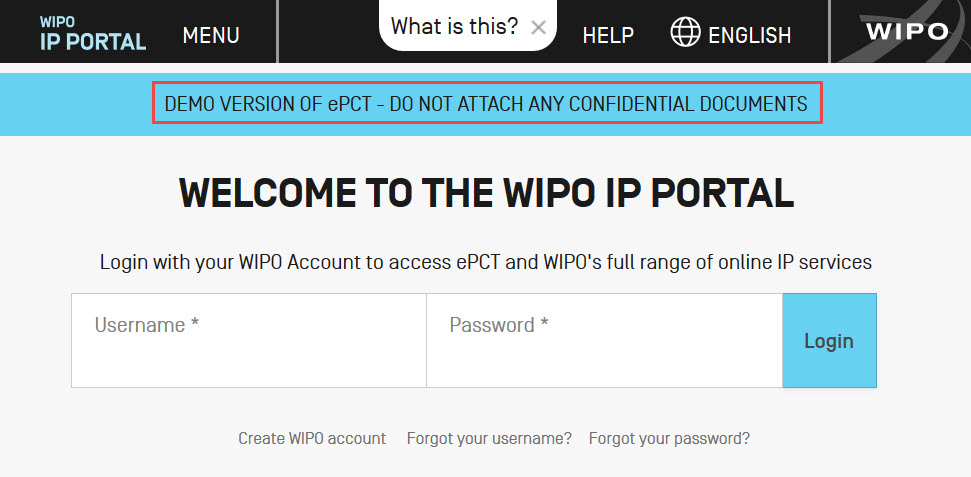
If you do not already have a WIPO account, please create one, and then set up strong authentication in order to access the 'Create new IA' feature to prepare international applications.
Please note that applications filed using the DEMO environment should not contain any confidential or sensitive data. If you would like assistance on your DEMO application with any particular function, you can contact PCT eServices Help Desk. Or click the 'Help' link in the top right corner of any ePCT page for self-help.
PCT-SAFE DEMO
The Demo environment enables PCT users to practice filing with the PCT-SAFE software. Please note, however, that this software is currently in maintenance mode, with no further development before it's phased out.
In order to file to the Demo server, for example at RO/IB, select the option "demo mode" when starting PCT-SAFE.

For further details please see User Guides.
Note: Applications filed in the demo environment must not contain any confidential or sensitive data. A receipt will be issued confirming that the demo filing has been successfully completed, with a PCT number in demo mode. For any questions, please contact the PCT eServices Help Desk.